Brewery is a native SwiftUI client for Homebrew. I pushed it on 1 June and then never told anyone it existed, which is a strange thing to do with a finished app, so I am telling people now.
The one sentence version: it shows you what depends on a package, not just what the package depends on.
The problem
brew info tells you a formula’s dependencies. That is the easy direction, and it is right there in the JSON.
The direction I actually needed was the other one. Before removing anything I wanted to know what would break, and the only way to ask that is brew uses --installed <name>, one package at a time. So the routine was: run it, read it, get an answer about one package, run it again for the thing that answer mentioned, lose track, and end up deciding not to uninstall anything because I was not confident.
The information was never missing. Homebrew hands you every edge in the graph on the first call. It just hands them to you pointing one way, and nothing assembles the other way for you.
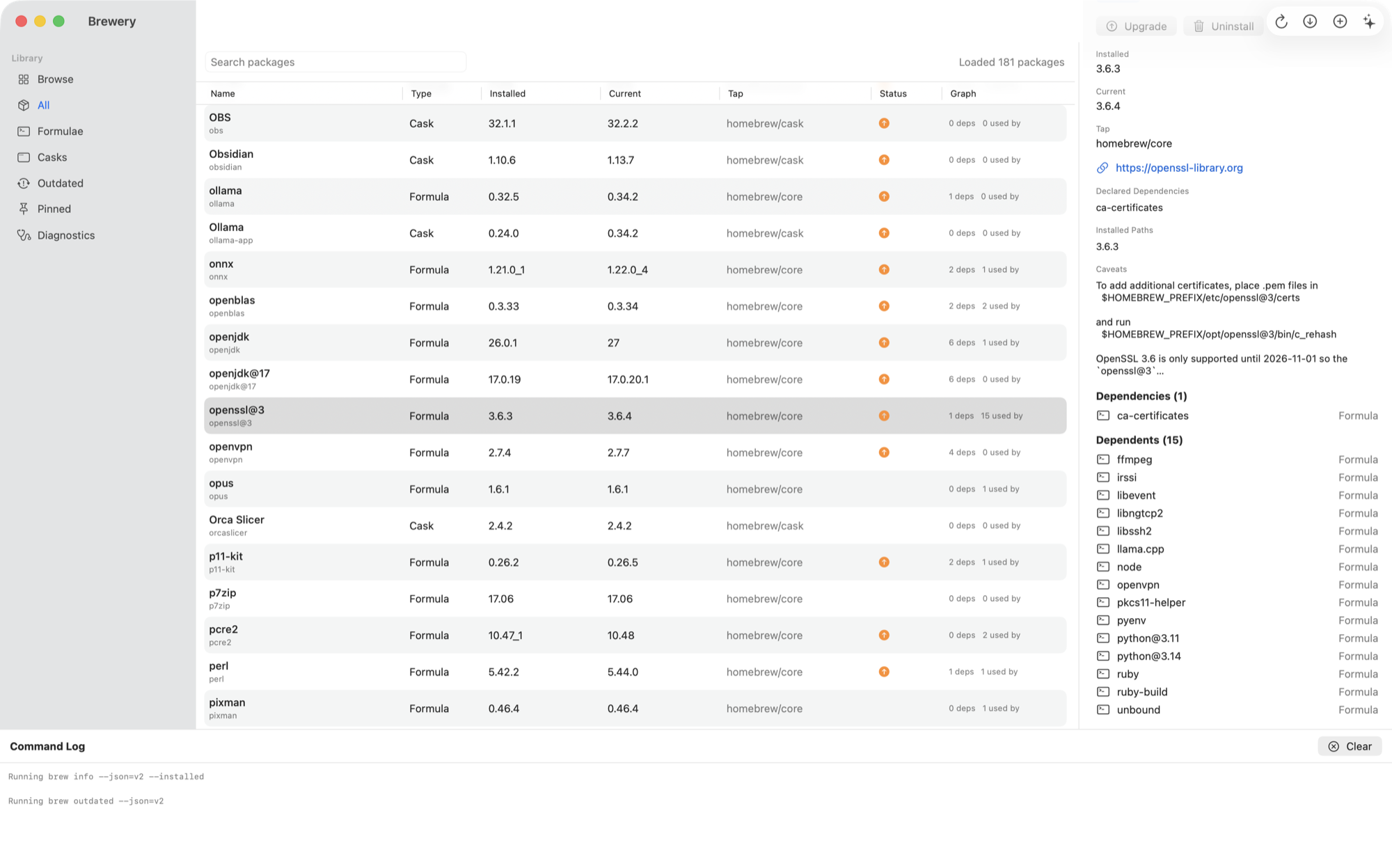
That screenshot is my actual machine. openssl@3 has one dependency and fifteen installed packages depending on it, and both lists are one click away from the uninstall button rather than fifteen invocations of brew uses.
How it works
Brewery runs brew info --json=v2 --installed once, and builds the graph in memory from the result.
The part that matters is that it builds both adjacency maps at load, not just the forward one. Every edge gets grouped by its source into a forward map and by its target into a reverse map. So “what depends on this” is a dictionary lookup on the reverse map, exactly as cheap as “what does this depend on”, instead of a scan or a shell-out.
Edges are typed rather than flattened, because a cask declaring a dependency and a formula linking against one at runtime are not the same relationship and should not be reported as though they were.
Recursive traversal in either direction carries a visited set, so a dependency cycle terminates instead of hanging. There is a test for that specifically, because it is the kind of thing that works on every graph you happen to try until it does not.
It shells out to your existing brew for everything it does. It does not reimplement resolution, so it cannot disagree with what the CLI would have done.
Nothing runs without confirmation
This is a GUI that runs destructive commands on your machine, so the design rule was that it never surprises you.
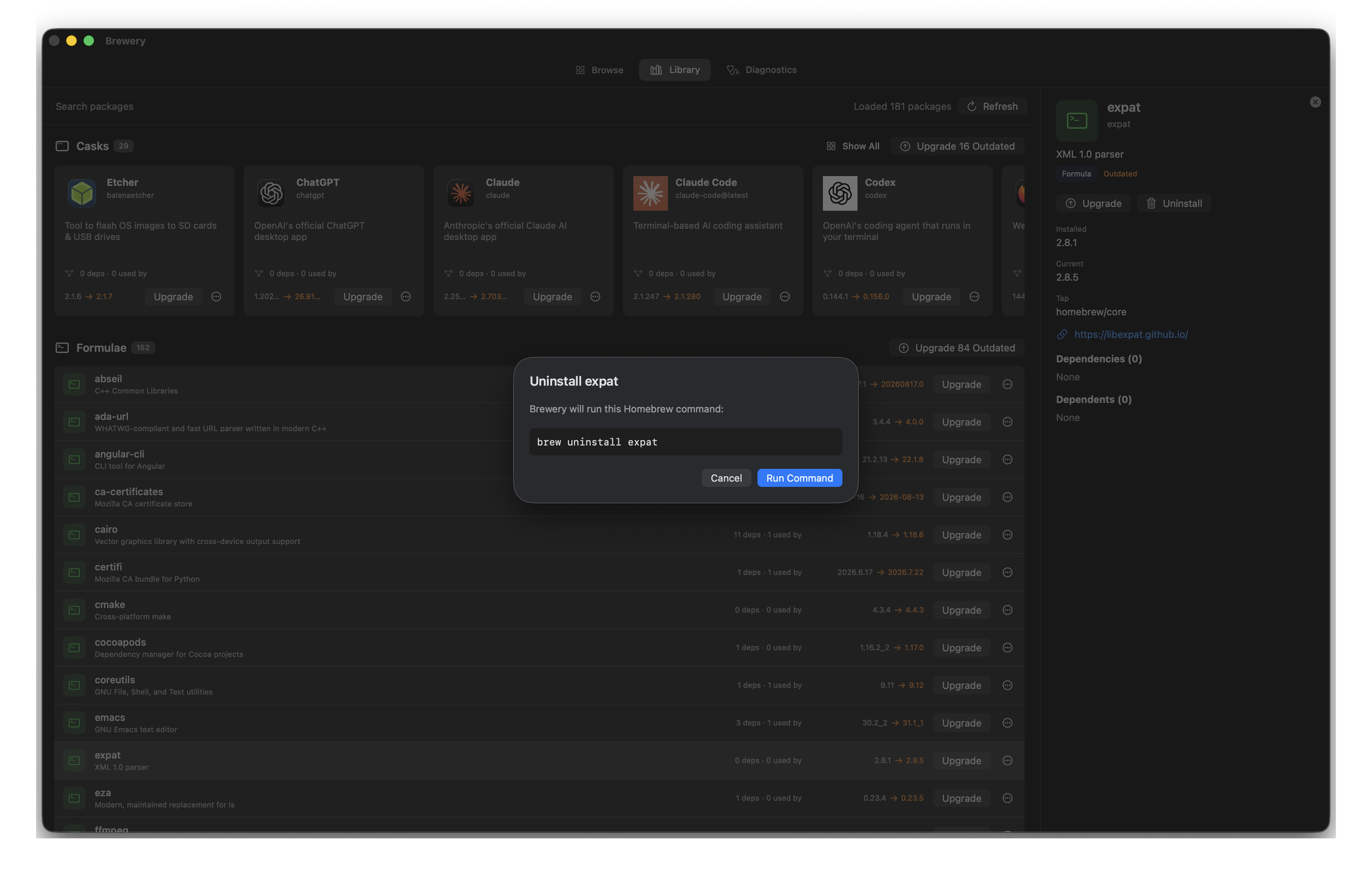
Update, install, upgrade, uninstall and cleanup all stop and show you the literal command first. Output streams into the log at the bottom of the window while it runs, so you are watching brew work rather than watching a spinner and hoping.
Browsing the catalog
The other half is an App Store style browse view over the official formula and cask catalog, with category filters and search.
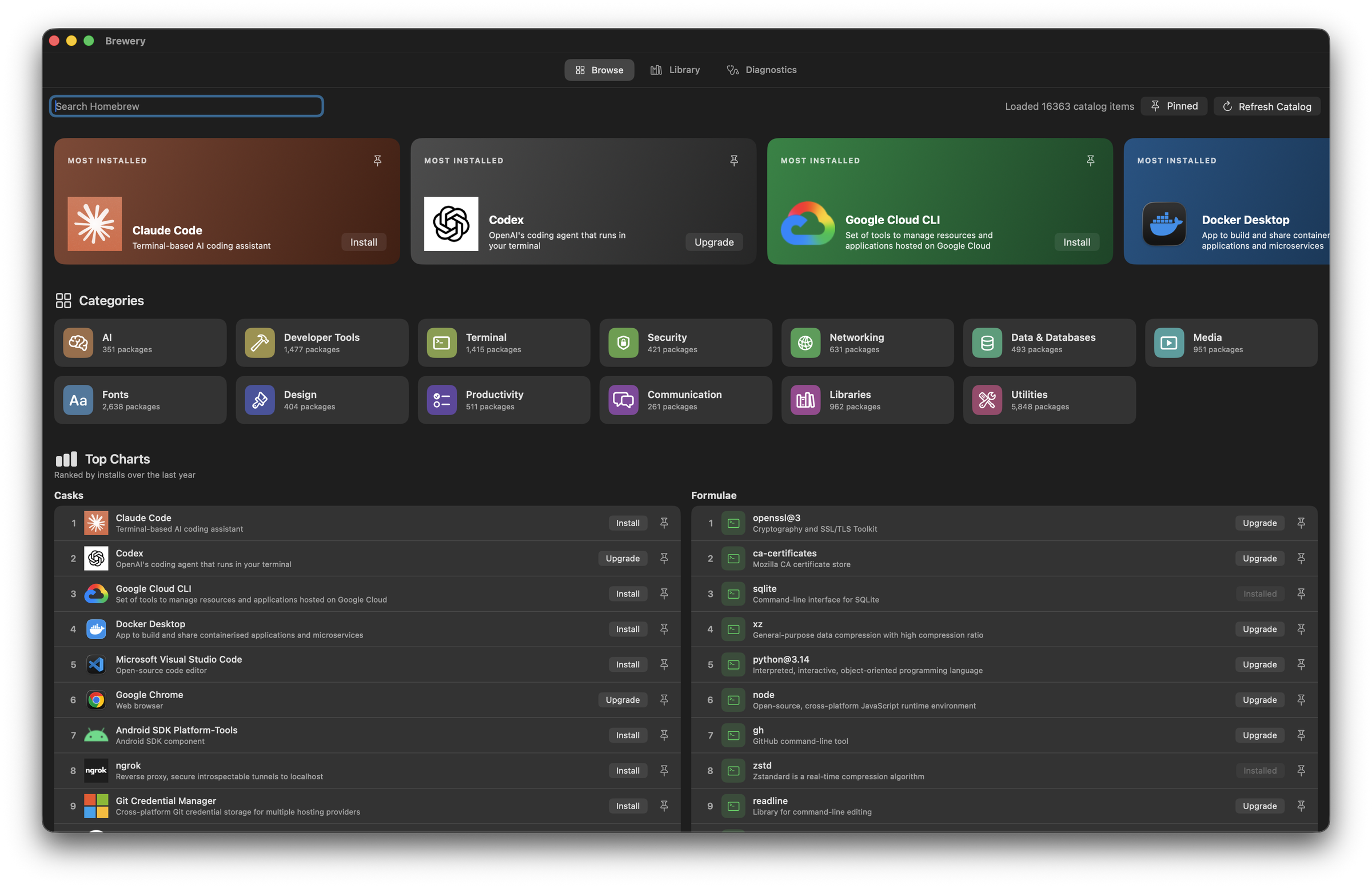
The catalog is cached locally after the first fetch. When a refresh fails, it opens the cache instead of showing an error, because an offline package browser that refuses to open is worse than a slightly stale one.
What it cannot do yet
I would rather say this myself than have someone find it.
- It is not signed or notarized. On first launch macOS refuses to open it and you have to Control-click > Open from Finder. For a Mac utility this is where most people give up, and it is the next thing I am fixing.
- The detail pane shows direct dependencies and dependents only. The recursive traversal exists and is tested, but nothing in the UI exposes it yet. “What breaks transitively” is a better question than the one it currently answers.
- No tap management. It reads whatever taps you already have and cannot add or remove one.
- You can filter to pinned packages but you cannot pin one. The pin state is read from Homebrew and displayed; the action to change it is not there.
- It has only ever run on my machine, against my Homebrew. Two prefixes are handled,
/opt/homebrewand/usr/local, but Intel Macs and multi-machine setups are untested by anyone who is not me.
The dependency graph is the piece I would defend. The rest is a competent package manager GUI, and there are other competent package manager GUIs.
Try it
Download it from Releases, unzip, move Brewery.app to Applications, then Control-click > Open the first time.
Or build it:
git clone https://github.com/3M1RY33T/brewery.git
cd brewery
Scripts/run-app.sh
It needs macOS 12 or newer and a Homebrew you already have. It makes no network calls beyond Homebrew’s own catalog API, there is no account, and there is no telemetry.
The thing I would genuinely like to know: whether the browse catalog is useful to anyone, or whether everybody already knows the name of the thing they are installing and only ever needed the dependency view.

Comments
Almost there
Choose how your comment should appear.