Brewery
A native Homebrew client that shows you what depends on what
- Swift
- SwiftUI
- macOS
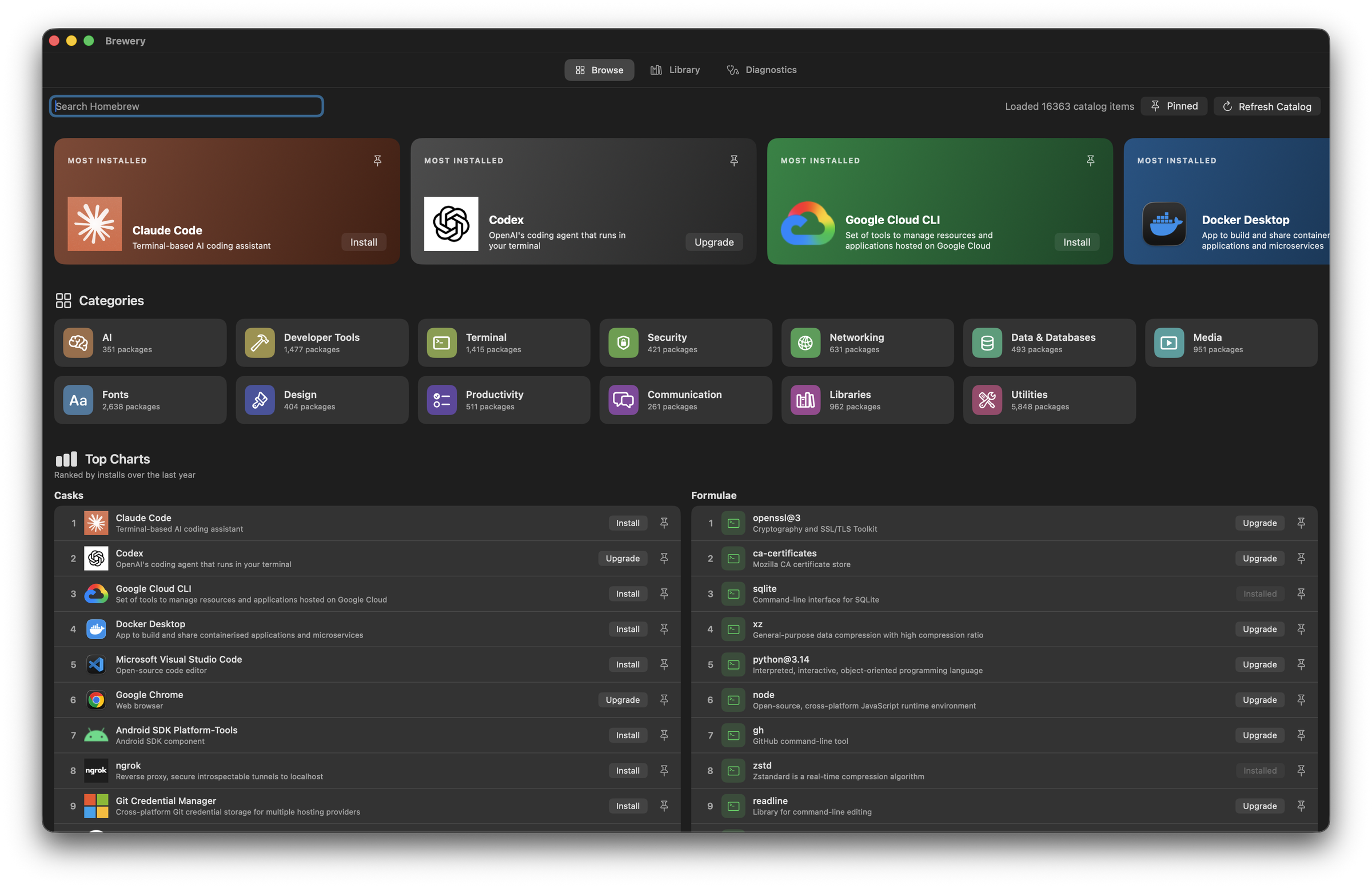
A SwiftUI app for macOS. Browse the catalog like an app store, see the dependency graph before you uninstall anything, and confirm every mutating command in full before it runs.
Brewery is not signed or notarized yet. On first launch macOS will refuse to open it: open it from Finder with Control-click, then Open, and confirm once. Homebrew itself must already be installed.

The problem
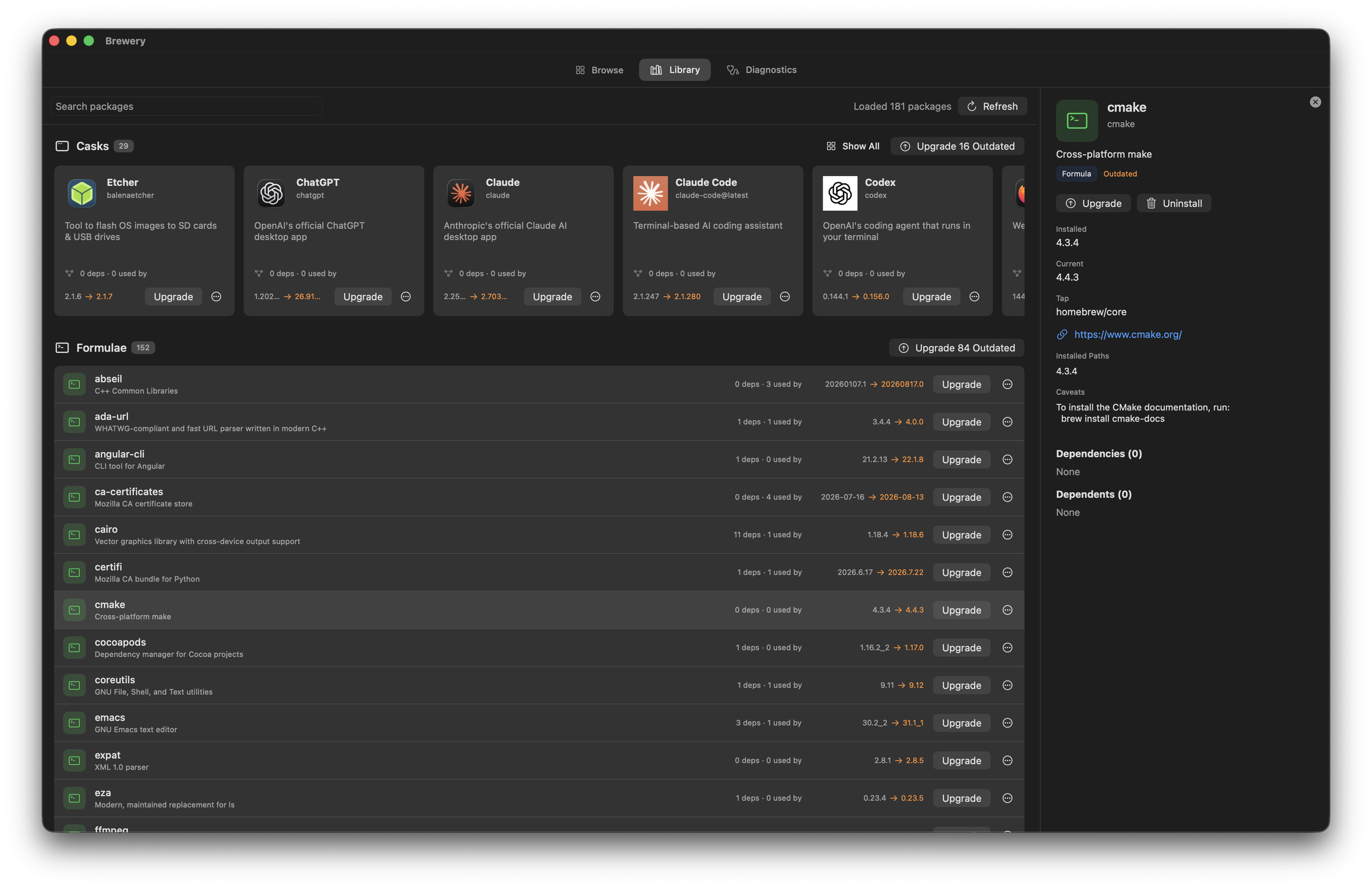
brew uninstall tells you what you asked for, not what breaks. Brewery builds the dependent graph in memory from Homebrew's own JSON and puts "what breaks if this goes" directly beside the Uninstall button, which is the only place that answer is any use.
What it does
The catalog as shelves
Every official formula and cask laid out as category shelves with real app icons, ranked by Homebrew's own install analytics for the last year. Casks show the icon of the app they install; formulae and fonts get a glyph.
Dependents, not just dependencies
The graph is built in memory from Homebrew's JSON and traversed both ways, so the question that actually matters before an uninstall is answered on the same screen as the button that performs it.
Nothing runs unconfirmed
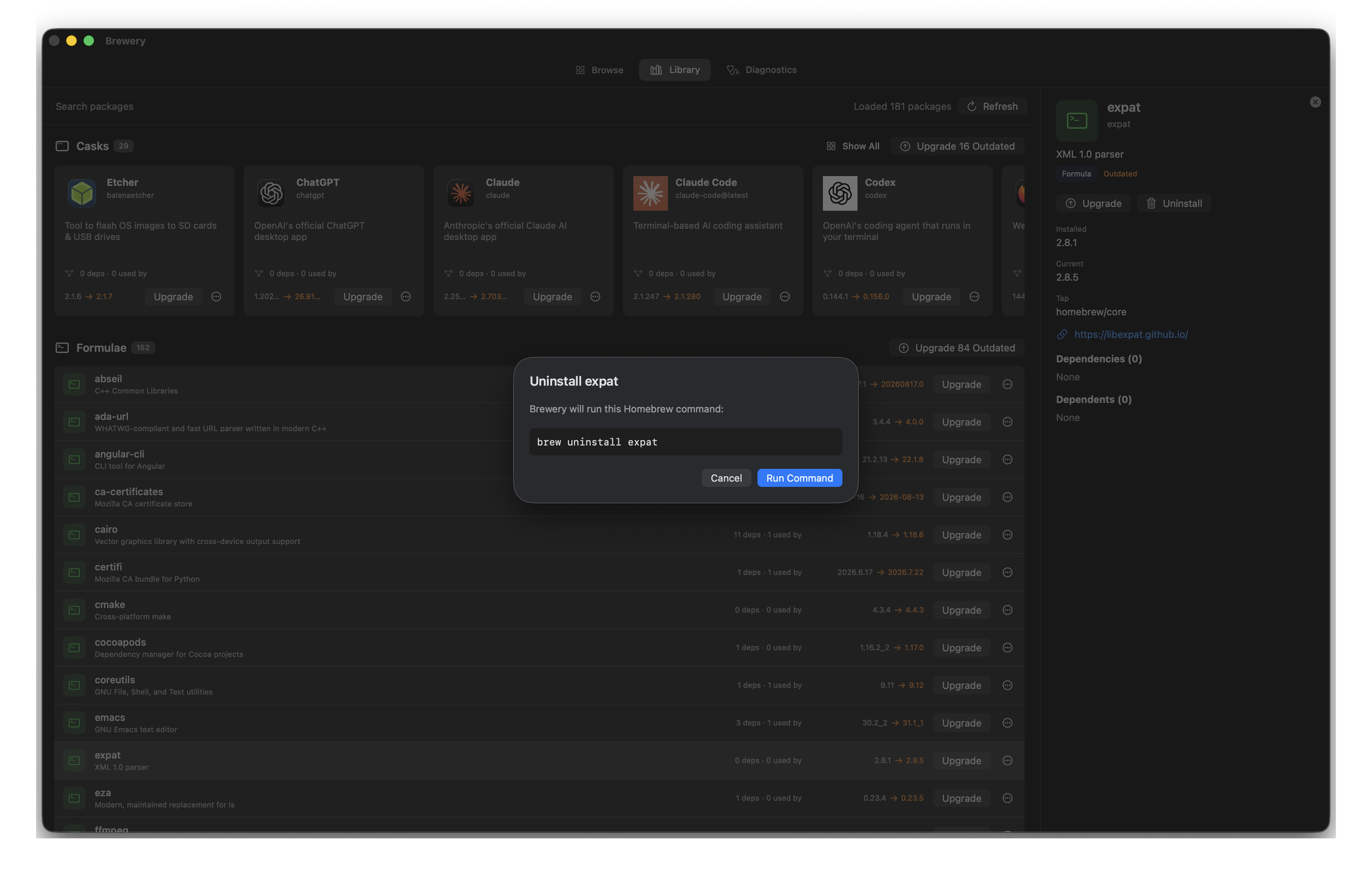
Every mutating command is shown in full and confirmed before it executes, and the command log is kept. An app that wraps a shell tool should never be vaguer about what it ran than the shell would be.
Still opens when the network does not
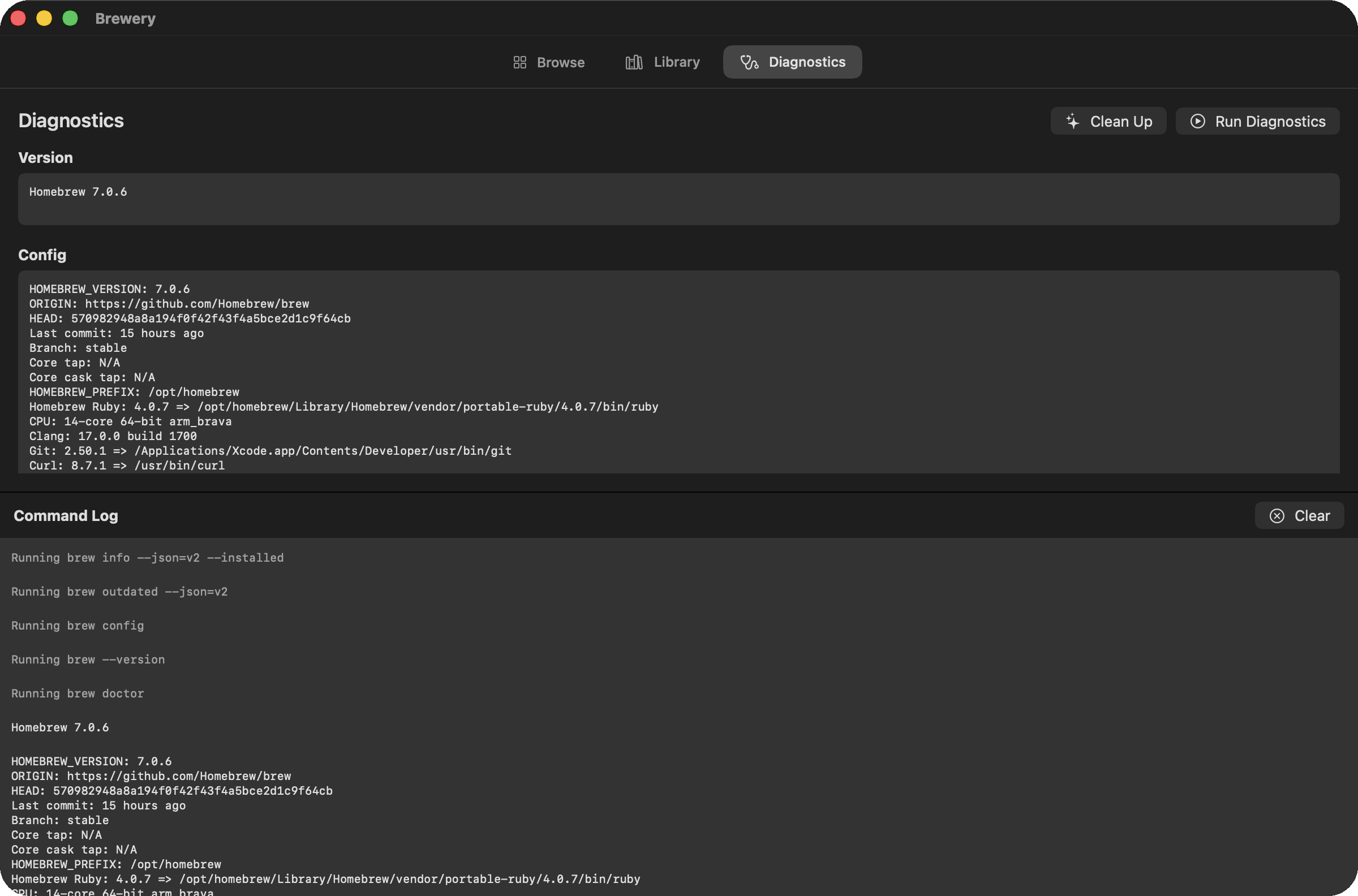
The catalog is cached locally, so a failed refresh degrades the data rather than the app. Diagnostics runs Homebrew's own health checks when you want them.
The graph is built once, then walked both ways
Both adjacency maps are built at load from a single "brew info --json=v2 --installed" call, so asking what depends on a package costs a dictionary hit rather than another shell out. Every entry is clickable, so the graph walks in either direction.
Nothing runs until you read it
Install, upgrade, uninstall and cleanup all stop at a sheet that prints the exact brew command. It is a rule of the app rather than a preference you can switch off.
Logic and interface are separate targets
The dependency graph and the JSON parsing live in a headless target, which is why the whole suite runs without launching any UI at all.
45 tests in 0.044s, no UI
The three pages
- Release
- v1.0.027 commits since 1 June
- Source
- 5,499lines of Swift, 32 files
- Tests
- 45defined, 820 lines
- Requires
- macOSwith Homebrew installed
Measured from the repository on 22 September 2026